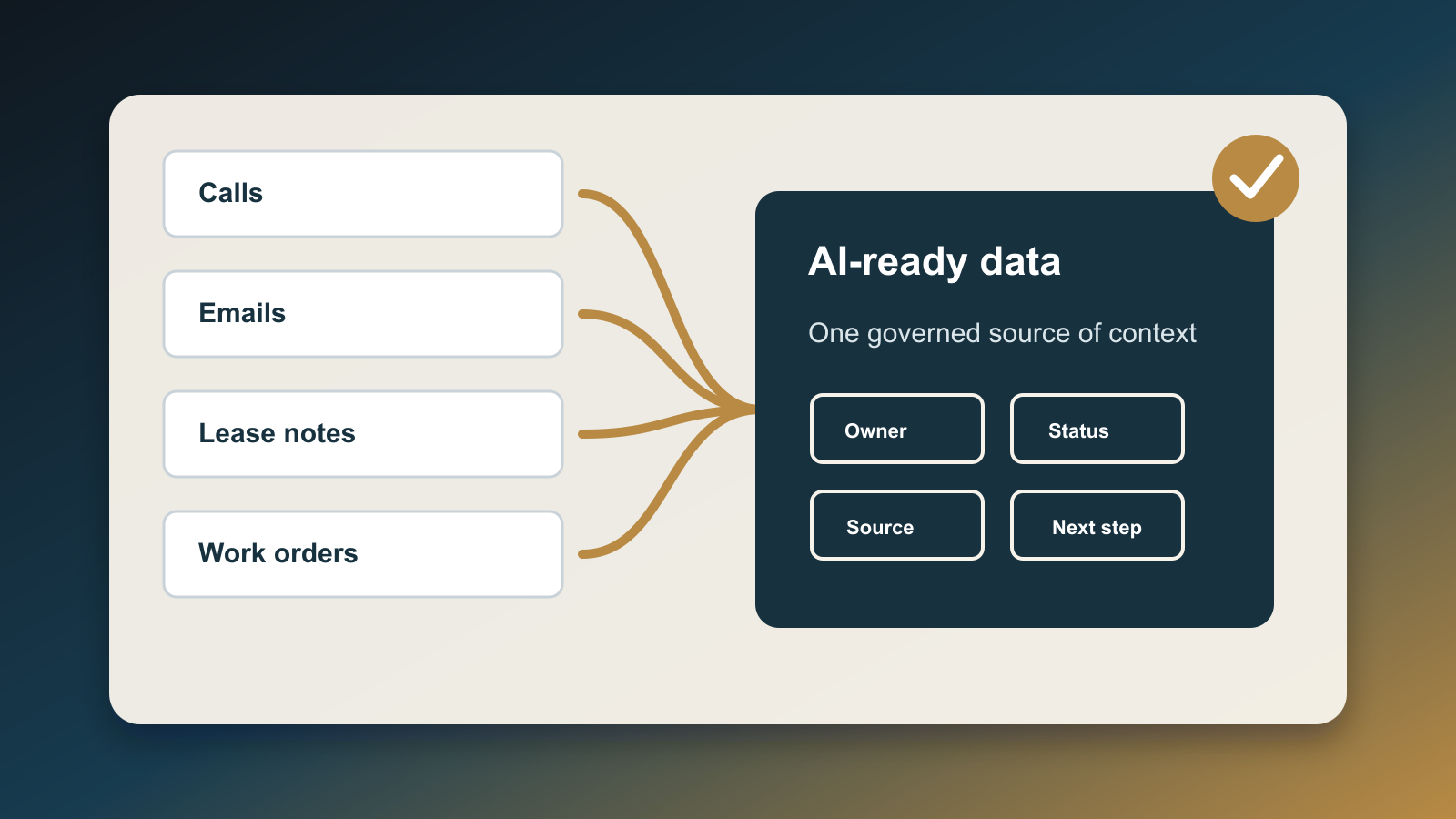
Build a Data Export Handoff Before AI Moves CRM Records
AI makes it easy to move client records from one place to another. A team can export a CRM segment, enrich it, sync it to a marketing platform, upload it into an AI assistant, or hand it to a transaction coordinator before anyone has asked the basic operational question: are these records allowed to move, and what exactly is moving with them?
That question matters because CRM data is rarely just names and phone numbers. A real estate database can include buyer budgets, showing notes, family timing, relocation signals, loan-readiness comments, employer names, divorce context, health accommodations, deal objections, vendor conversations, referral notes, and old tags that no one has audited in years. When AI is placed on top of that database, the risk is not only that it writes a bad message. The bigger risk is that it moves, copies, or exposes context the team never meant to use in that workflow.
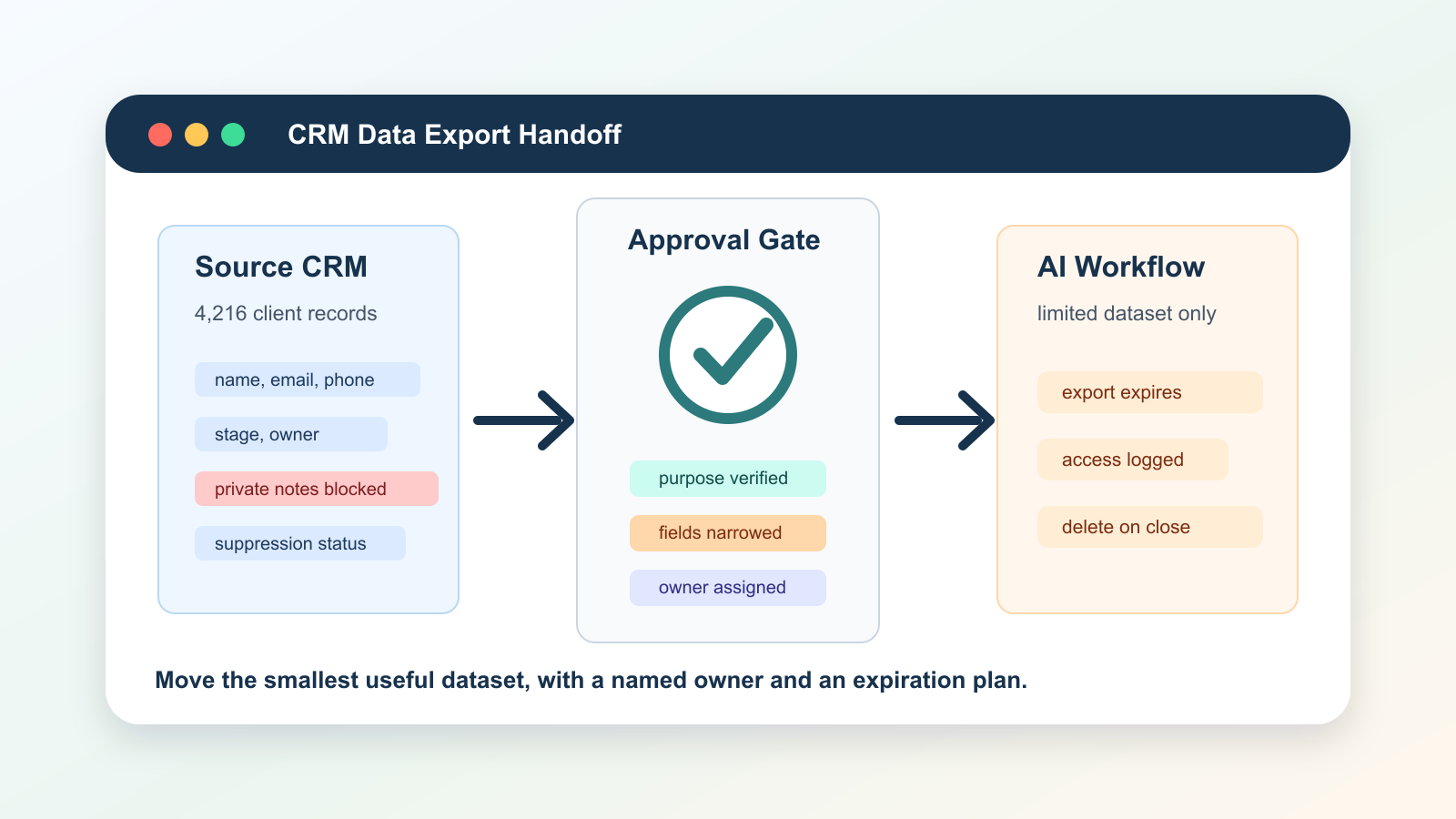
The fix is a data export handoff. Before AI moves CRM records, the team should create a short approval path that says which records are included, which fields are excluded, why the export exists, who receives it, when it expires, and what proof shows the client relationship allows that use.
Why this belongs in the workflow now
Real estate teams are adding AI on top of systems that were not designed for AI governance. NAR's 2025 Technology Survey reported that 46% of surveyed REALTORS use AI-generated content, while eSignature, social media, drone photography, and other digital tools remain core parts of the client experience. That means client information is already flowing across multiple tools before AI is added to the stack.
The privacy obligation is also getting more visible. NAR's data privacy and security principles describe REALTORS as trusted custodians of client data and emphasize transparency, control, and sound data-security practices. The FTC's business guidance makes the same operating point in broader terms: companies need to be clear about what they do with personal information, honor privacy promises, and protect sensitive data in a way that fits the nature of the information they hold.
That is why a CRM export should not be treated as a harmless admin task. It is a data processing event. It can create a second copy of client information, a new vendor exposure, a stale suppression-list problem, or a permission mismatch between the original collection purpose and the new AI workflow.
NIST's Privacy Framework is useful here because it frames privacy risk across the full data life cycle, not just after a breach. Its approach pushes teams to identify data processing, govern it, control it, communicate it, and protect it. NIST's Generative AI Profile adds another layer: generative AI systems introduce risks around data provenance, misuse, privacy, and trustworthiness that need management before the system is in production.
For real estate operators, the practical takeaway is simple. Do not let AI create unofficial client-data pipelines. Put a handoff in the middle.
What the handoff should decide
A good data export handoff is not a long policy document. It is a required review step that sits between the source CRM and the destination tool. The reviewer should be able to approve, reject, or narrow the export in less than five minutes because the evidence is structured.
Start with the purpose. The request should name the business reason in plain language: reactivating past sellers, sending market alerts, preparing client anniversary outreach, moving closed-client records to a service platform, importing warm leads into an AI qualification workflow, or giving a transaction coordinator a limited file set. If the purpose is vague, the export should stop.
Then define the population. The export should say exactly which records are included and why. Use saved views, tags, stages, dates, source campaigns, or transaction statuses instead of free-form instructions like "all old leads" or "everyone in the buyer pipeline." AI should not decide the population unless the rule is visible and reviewable.
Next, define the field list. This is where most teams find the problem. Names, emails, phone numbers, and lifecycle stage may be enough for a marketing workflow. A service handoff may need property address and close date. A transaction workflow may need status, deadlines, and owner. Very few AI workflows need private notes, financial details, identification documents, source documents, or old free-text comments. Default to the smallest field list that can complete the job.
The handoff should also name the destination and owner. A CSV downloaded to a laptop is a different risk than a direct sync to a managed CRM. A vendor enrichment platform is a different risk than an internal reporting table. A temporary spreadsheet is a different risk than a persistent AI memory store. The approval should record who receives the data, who can access it, where it is stored, and when it should be deleted or refreshed.
Finally, attach the permission evidence. That does not mean every workflow needs a new signature. It means the team should be able to point to the relationship basis, privacy notice, campaign opt-in, suppression status, listing agreement, buyer agreement, transaction role, or documented service reason that supports the export. When the evidence is unclear, the system should route to a human owner instead of letting AI move the data quietly.
The fields to block by default
Most CRM exports should have a deny list before they have an allow list. If a field is sensitive, ambiguous, stale, or unnecessary, it should not leave the source system without explicit approval.
Block free-text notes by default. Notes are where agents write the context that never belongs in a marketing model: family stress, divorce timing, medical issues, financial fear, personality judgments, negotiation weaknesses, or side conversations. AI can make those notes operational in ways the original writer never intended.
Block document links and attachment metadata unless the workflow is specifically a transaction or compliance workflow. A marketing assistant does not need access to IDs, loan documents, inspection files, bank statements, repair invoices, or signed forms. Even a transaction assistant should receive only the document categories it needs for the next action.
Block inferred traits unless they have a reviewed source and a current use. Tags like "high net worth," "motivated," "distressed," "credit concern," "family growing," or "likely to sell" can become automated targeting rules. If the team cannot explain where the tag came from and why it is appropriate for this workflow, leave it out.
Block stale consent and suppression conflicts. If a contact opted out of email, asked not to be called, unsubscribed from market updates, or has an unresolved privacy request, the export should surface that status before AI starts a campaign. A data handoff that ignores suppression rules is not a handoff. It is a leak into a new system.
How AI should participate
AI can help with the handoff, but it should not be the final authority. Use AI to summarize the export request, classify field sensitivity, compare the request against approved templates, identify suspicious fields, and create a plain-English approval packet for the operations owner.
For example, the assistant can say: "This export contains 1,842 contacts from the 2023 seller nurture segment. Requested fields are name, email, phone, last activity date, lifecycle stage, city, property address, estimated equity range, and private notes. Private notes and estimated equity range are outside the approved reactivation template. Suppression conflicts: 76 email opt-outs and 14 do-not-call contacts. Recommended action: approve only name, email, lifecycle stage, city, and last activity date for contacts without suppression conflicts. Route estimated equity messaging to valuation review."
That kind of AI support is useful because it makes the review faster. It is also safer because it gives the human owner a concrete exception list instead of asking them to inspect a raw CSV.
The system should log the AI recommendation separately from the human decision. If the reviewer overrides the recommendation, the override reason should be saved. Over time, those override reasons become the training set for better export templates, cleaner field rules, and stronger vendor boundaries.
A practical workflow design
Build the handoff as a small queue with five states: requested, needs narrowing, approved, exported, and expired. Each request should include the requester, source system, destination system, purpose, record count, field list, excluded fields, suppression count, permission evidence, owner, expiration date, and deletion plan.
Create approved templates for common workflows. A past-client market update template might allow name, email, city, last transaction date, property address, and assigned agent. A showing follow-up template might allow name, phone, preferred area, tour date, and assigned agent. A transaction coordination template might allow contact details, property address, milestone status, deadline dates, and assigned parties. Each template should also list blocked fields.
Connect the queue to the CRM and automation platform, but keep the approval record outside the export file. The export file should not become the audit log. The audit log should live in a controlled system that records who approved the data movement, what was included, what was excluded, and when the exported copy must be destroyed or refreshed.
Add a post-export check. After the data lands in the destination system, confirm the record count, field count, suppression handling, owner, and deletion schedule. If the destination tool transforms fields, creates AI summaries, or enriches records, capture that transformation in the log.
What to measure
Do not measure this workflow by how many exports it approves. Measure how many risky exports it prevents from becoming invisible.
Track the percentage of requests narrowed before approval, the most common blocked fields, suppression conflicts caught before send, exports with missing purpose statements, vendor destinations without deletion dates, and exports that expire on schedule. Also track cycle time so the process does not become a bottleneck that teams bypass.
The most important metric is exception recurrence. If the same export keeps triggering the same field warning, create a template. If the same vendor cannot support deletion dates or access controls, renegotiate or remove it from the workflow. If the same campaign keeps requesting private notes, rewrite the campaign logic.
The operating rule
AI should not move CRM records just because it can. It should move the smallest useful dataset for a specific purpose, into a known destination, under a named owner, with permission evidence, blocked fields, suppression checks, and an expiration plan.
That operating rule keeps automation useful without turning the CRM into an unmanaged data source. It gives agents speed, gives clients respect, and gives the business a defensible record of why data moved before AI acted on it.

Written by
Ben Laube
AI Implementation Strategist & Real Estate Tech Expert
Ben Laube helps real estate professionals and businesses harness the power of AI to scale operations, increase productivity, and build intelligent systems. With deep expertise in AI implementation, automation, and real estate technology, Ben delivers practical strategies that drive measurable results.
View full profile