Build a Model Change Bench Before AI Upgrades Your Workflows
AI vendors are shipping faster than most business processes can absorb.
That is useful when a model gets cheaper, sees images better, follows tools more reliably, or handles longer context. It is risky when the same upgrade quietly changes tone, speed, refusal behavior, tool-calling patterns, formatting, citations, or the way a CRM assistant interprets sparse notes.
The practical answer is not to freeze every workflow on old models. That fails too. Models are deprecated, preview versions disappear, and product interfaces keep moving. OpenAI's API deprecation page says older models and endpoints are retired over time and that affected customers are notified through email, documentation, and larger-change blog posts. Anthropic's platform release notes show a similar operating reality, with model launches, retired models, beta headers, and platform capabilities changing across April 2026 alone. Google's Gemini API changelog and deprecations page list preview model shutdowns, stable model replacement paths, and model behavior changes that affect production integrations.
The lesson for operators is simple: every AI workflow needs a small bench where model changes are tested before they touch clients, ads, CRM records, or team assignments.
The hidden risk is behavioral drift
Most teams think of model upgrades as a technical dependency. The developer swaps a model name, tests whether the API responds, and moves on.
That is not enough for business workflows. A model can keep the endpoint green while changing the work product in ways that matter. A buyer follow-up assistant may become warmer but less specific. A listing-copy workflow may start adding unsupported claims. A service-reply tool may summarize faster but miss escalation language. A CRM-cleanup agent may become more aggressive about merging records. A reporting assistant may still produce a table, but change labels enough to break downstream spreadsheet formulas.
This is why a model-change bench belongs next to the CRM and operations layer, not only in engineering. It should test the exact work units the business depends on: lead routing, objection replies, listing copy, campaign drafts, service escalations, appointment summaries, vendor handoffs, and manager reports.
NIST's Generative AI Profile for the AI Risk Management Framework frames generative AI as something organizations should evaluate across design, development, use, and ongoing risk management. That is the right mental model for small business AI, even when the team is not building foundational models. The business is still deploying AI into a workflow. It still needs evidence that the workflow performs acceptably after a model, prompt, data source, vendor, or policy changes.
What goes in the bench
Start with ten to twenty real examples from the workflow. Do not use toy prompts.
For a real estate team, the bench might include:
- A cold lead with unclear consent and a missing source.
- A buyer asking about affordability after rates moved.
- A seller pushing back on price improvement advice.
- A client complaint that should escalate to a manager.
- A listing description with potential Fair Housing risk.
- A transaction update with appraisal, inspection, financing, and title issues mixed together.
- A past-client outreach moment where the CRM has stale family or employment details.
- A vendor recommendation request where availability and disclosure matter.
Each example needs a known-good answer, not just an input. The answer can be a full draft, a decision label, a routing result, or a checklist of required fields. The point is to define what acceptable work looks like before the next model change arrives.
Then add a scorecard with a few practical checks:
- Did it use only approved facts?
- Did it preserve required disclosures and opt-out language?
- Did it escalate the right cases?
- Did it avoid promises, guarantees, legal advice, or unsupported market claims?
- Did it write back to the correct CRM fields?
- Did it keep the expected tone for the brand and channel?
- Did it finish within the cost and latency limits the workflow can tolerate?
This turns model evaluation into operational review. The team is no longer arguing whether one model "feels better." It is checking whether the workflow still does the job.
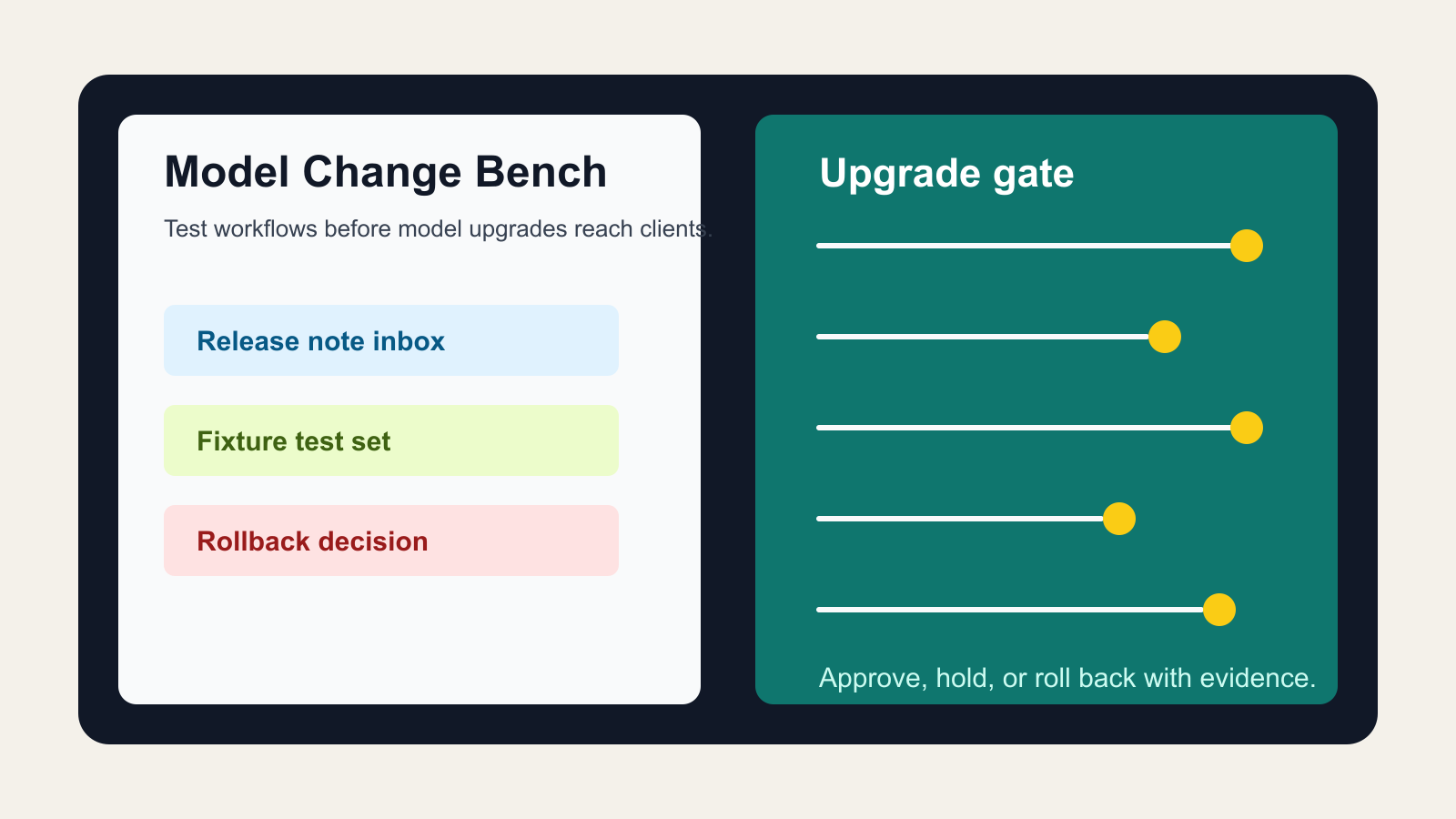
The release-note inbox
The bench also needs an owner who watches vendor changes.
Do not rely on memory or social media summaries. Subscribe to the primary release notes and deprecation pages for the systems that matter. OpenAI publishes API deprecations and model release notes. Anthropic publishes platform release notes for Claude API and developer changes. Google publishes Gemini API release notes and a deprecations table. These pages are not marketing reading; they are operating inputs.
Create a simple release-note inbox with four fields:
- Vendor and product.
- Change type: model launch, model retirement, default behavior change, pricing change, beta header, safety policy, tool interface, context window, or output format.
- Workflows possibly affected.
- Required bench result before production use.
Most changes will not matter. Some will matter a lot. The inbox keeps the team from discovering the difference after clients have already received changed output.
Freeze what must be stable
Some workflows should use pinned model versions, fixed prompts, fixed tool schemas, and explicit output contracts. This is especially true for workflows that write to the CRM, send client-facing messages, publish ads, summarize transaction risk, or make recommendations that affect money, timing, compliance, or trust.
Other workflows can tolerate faster upgrades. Internal brainstorming, draft outlines, meeting preparation, and research synthesis can usually move sooner as long as humans review the output.
The bench helps separate those categories. It should label every AI workflow as one of three upgrade modes:
- Auto-adopt: low-risk internal use where the newest model can be tried quickly.
- Bench-first: operational use where model changes need passing test cases before rollout.
- Human-approval-only: client-facing or regulated-adjacent work where model changes require owner signoff and a documented rollback path.
That last category matters because many AI failures are not dramatic. They are small changes that accumulate: a weaker disclosure here, an invented detail there, a confident summary that misses an exception, a campaign draft that overstates a result. Without a bench, those changes look like normal variation until the team sees a complaint, a bad review, or broken CRM data.
Test outputs and side effects
A good bench tests both text and side effects.
For example, a CRM assistant may produce a good summary but update the wrong lifecycle stage. A lead-routing agent may choose the right human owner but forget to add a task. A campaign assistant may write acceptable copy but strip the source tag needed for attribution. A service chatbot may answer politely but fail to create the escalation note that the operations team depends on.
The model-change bench should therefore record:
- Input fixture.
- Expected output.
- Expected tool calls or database writes.
- Fields that must not change.
- Escalation conditions.
- Cost, latency, and error behavior.
- Reviewer decision and date.
This does not require a large machine-learning platform. A spreadsheet, Airtable base, Notion database, or lightweight internal admin page is enough. The important part is that every model change creates evidence before the workflow changes.
How to roll it out this week
Pick one workflow, not the whole business.
For most teams, the best first workflow is something client-adjacent but still reviewable: buyer follow-up drafts, listing copy drafts, review replies, consultation summaries, or seller objection responses. Export ten recent examples. Redact sensitive details. Add the expected answer, required fields, and escalation rules. Run the current model. Save the result as the baseline.
Then test the next model or vendor update against the same examples. Compare differences. If the new model is better, approve it with notes. If it is cheaper but weaker, decide whether the cost savings are worth a narrower scope. If it fails on a critical example, keep it out of production until the prompt, retrieval data, tool schema, or workflow rule is fixed.
This is how AI upgrades become manageable. The team stops treating vendor changes as surprises and starts treating them as release candidates.
The operator's rule
Never let a vendor's release cadence become your operating cadence.
AI companies should move fast. Your business workflows should move deliberately. The model-change bench is the buffer between those two clocks. It lets the team adopt better models quickly when the evidence is good, hold back changes when trust is weak, and explain decisions without relying on gut feel.
The companies that get durable value from AI will not be the ones that chase every model announcement. They will be the ones that know which workflows changed, why they changed, who approved the change, and what proof showed the upgrade was ready.

Written by
Ben Laube
AI Implementation Strategist & Real Estate Tech Expert
Ben Laube helps real estate professionals and businesses harness the power of AI to scale operations, increase productivity, and build intelligent systems. With deep expertise in AI implementation, automation, and real estate technology, Ben delivers practical strategies that drive measurable results.
View full profile