Create an AI Agent Registry Before Tools Multiply
AI agents are moving from novelty to normal operating infrastructure. That changes the practical question for a real estate team. The question is no longer whether someone on the team will use an agent for lead research, email drafting, listing preparation, ad copy, appointment routing, or CRM cleanup. The question is whether the business can still answer a simple question six months from now: which agent is allowed to do what, using whose data, for which customer-facing outcome?
That answer should not live in a founder's memory, a Slack thread, or the settings page of five different software products. It should live in an AI agent registry.
Gartner's April 2026 guidance on agent sprawl makes the risk concrete: enterprise agent counts are expected to rise sharply, and only a small minority of organizations believe they have the right governance in place. A local brokerage or service business will not face Fortune 500 scale, but the operating pattern is the same. One approved CRM assistant becomes three lead-routing automations. A content helper gets connected to a shared drive. A prospecting tool starts drafting messages from customer notes. Then a vendor adds agent features inside a platform the team already uses.
None of those steps looks dramatic in isolation. Together, they create an invisible operating layer.
The registry is the missing control plane
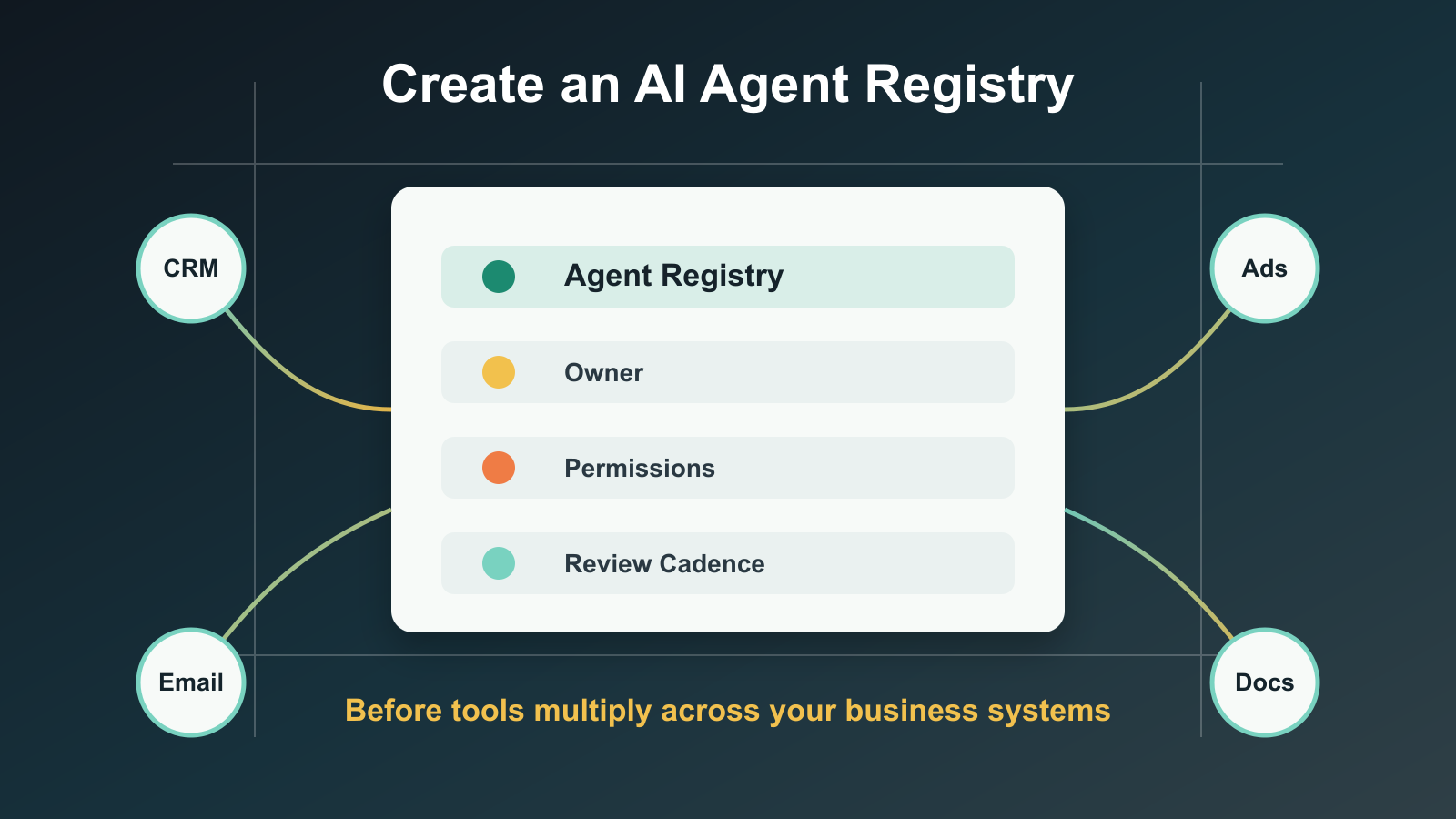
An AI agent registry is a simple inventory of every agent, automation, assistant, and AI-enabled workflow that can read business data, make recommendations, create content, trigger actions, or touch customers. It is not a legal document. It is not a 40-page AI policy. It is the operational control plane that tells the team what exists and who owns it.
For real estate operators, the registry matters because the same customer relationship can pass through many systems: website forms, CRM records, call notes, listing data, email sequences, transaction folders, ad platforms, calendars, and review requests. If an AI workflow is allowed to operate in that chain, it needs a named owner and a defined boundary.
A useful registry answers seven questions.
- What is the agent's job?
- Who owns the result?
- Which systems can it access?
- What customer data can it see?
- What can it change or send?
- When does a human review the output?
- How often is the workflow rechecked?
That structure sounds basic because it is. The value comes from forcing every agent to have a clear operational identity before it becomes part of daily work.
Why now
Salesforce's 2026 State of Sales research shows why agent adoption is accelerating in revenue teams: sellers expect agents to reduce research and drafting time, and many already use AI across prospecting, forecasting, lead scoring, and email workflows. In real estate, NAR's 2025 technology survey showed agents leaning into AI while still relying on established digital tools to serve clients. That combination means AI will not arrive as a standalone initiative. It will show up inside tools teams already use.
That is where sprawl starts. The CRM adds an assistant. The email platform adds reply suggestions. The ad tool adds campaign generation. The scheduling tool adds qualification. The document system adds summarization. Each vendor calls its feature helpful. The business still owns the consequences when the systems are connected.
McKinsey's State of AI research points to the same implementation lesson from a different angle: organizations seeing value are not only adopting AI; they are redesigning workflows, assigning governance, and changing how work is done. The registry is the lightweight version of that discipline for teams that need practical control without enterprise bureaucracy.
What to track first
Start with a registry that fits on one page. The first version should include these columns:
| Field | Why it matters |
|---|---|
| Agent or workflow name | Prevents hidden or duplicate tools. |
| Business purpose | Keeps the agent tied to a specific job. |
| Owner | Makes one person accountable for output quality. |
| Data sources | Shows which CRM, document, ad, or email data it can read. |
| Action rights | Separates draft-only tools from tools that can send, update, post, or book. |
| Customer touchpoint | Identifies whether the workflow affects leads, clients, vendors, or internal staff. |
| Autonomy level | Marks whether the agent suggests, drafts, queues, or acts. |
| Review rule | Defines when a human approves output before use. |
| Measurement | Connects the agent to a business metric, not novelty. |
| Review date | Forces stale workflows back into inspection. |
The action-rights column is the one most teams skip. It is also the one that prevents most confusion. An assistant that drafts a buyer follow-up email is a different risk than an agent that sends the email. A tool that summarizes inspection notes is different from one that updates a client-facing transaction timeline. A lead scorer is different from an automation that changes pipeline stage, assigns an agent, and starts a sequence.
The registry should make those distinctions visible.
Classify by risk, not by vendor
Do not organize the registry around tool names. Organize it around business risk.
Low-risk agents draft internal notes, summarize public information, or prepare content that a person reviews before use. Medium-risk agents read customer data or recommend next actions, but do not directly change the customer experience. High-risk agents can message customers, update CRM fields, affect routing, make recommendations tied to money or compliance, or act across multiple systems.
This classification matters because OWASP's 2026 agentic application guidance frames agent security around systems that can plan, act, use tools, and make decisions across workflows. Once an AI workflow has tool access and delegated authority, it should be treated less like a writing assistant and more like a privileged business application.
For a real estate team, the practical rule is straightforward: any agent that can affect a customer record, customer message, ad spend, appointment, transaction milestone, or document workflow belongs in the registry before it runs unattended.
The operating cadence
A registry only works if it is maintained. Set a monthly review for active agents and a launch checklist for new ones.
The monthly review should ask:
- Did the agent perform the job it was assigned?
- Did it touch any data source that was not expected?
- Did it create rework for staff?
- Did it improve the metric it was meant to improve?
- Did the business change in a way that makes its instructions stale?
- Should permissions be reduced, expanded, or removed?
This is not about slowing adoption. It is about keeping adoption legible. Teams move faster when they know which tools are approved, which are experimental, and which are not allowed to touch customer workflows yet.
What to register before scaling
The first workflows to register are usually the ones already closest to revenue:
- Lead intake and qualification agents.
- CRM enrichment and cleanup automations.
- Follow-up drafting and sequencing tools.
- Listing description and social content generators.
- Ad campaign assistants.
- Review-request and referral automations.
- Transaction summary or document-review helpers.
- Internal knowledge-base and SOP assistants.
This order is intentional. These workflows influence customer trust, response speed, data quality, brand voice, compliance posture, and staff workload. They are where AI can create immediate leverage. They are also where unclear ownership creates visible damage.
The real advantage
An AI agent registry will not make a weak workflow strong. It will reveal which workflows are ready for automation and which ones are still too vague. That is the point.
If the team cannot name the owner, source data, allowed action, review rule, and success metric for an agent, the agent is not ready for production use. It can stay in a sandbox. It can draft. It can assist. It should not quietly become part of the customer journey.
The businesses that get durable value from AI will not be the ones with the most agents. They will be the ones that can see their agents, govern their permissions, retire stale workflows, and connect each automation to a measurable operating result.
In real estate, trust is still the product. The registry is how AI stays useful without making the business harder to control.
Sources

Written by
Ben Laube
AI Implementation Strategist & Real Estate Tech Expert
Ben Laube helps real estate professionals and businesses harness the power of AI to scale operations, increase productivity, and build intelligent systems. With deep expertise in AI implementation, automation, and real estate technology, Ben delivers practical strategies that drive measurable results.
View full profile