Cursor vs Codex: Which AI Coding Tool Fits Your Stack? (March 2026)
The real question isn't "which one wins" — it's "which one fits how you work."
Cursor and Codex both shipped major updates in early 2026. As of March 2026, both tools are maturing fast — one is an IDE built for AI, the other an agent command center that runs inside your IDE (and increasingly beside it). If you're choosing tools for your workflow or wondering whether to adopt both, here's the breakdown.
The One-Sentence Summary
Cursor is a full IDE (based on VS Code) with native AI baked in — Composer, Tab, codebase indexing, and model choice. Codex is OpenAI's multi-agent orchestration layer — skills, automations, parallel agents — that you use via app, CLI, or as an extension inside Cursor, VS Code, or Windsurf. They solve different problems. Many developers use both.
Cursor: The AI-Native IDE
Cursor is a standalone code editor built on VS Code's foundation. It's designed from the ground up for AI-assisted development. You don't plug AI into Cursor — Cursor is the AI editor.
What Cursor Does Well
- In-editor context: Full codebase indexing with
@Codebase, so the AI knows your project structure, conventions, and dependencies. - Composer and Agent Mode: Multi-file editing, refactors across entire projects, and an agent that can edit, run, and iterate with minimal hand-holding.
- Cursor Tab: Predictive autocomplete that suggests whole diffs based on recent changes — not just the next token.
- Model flexibility: Toggle between GPT-5-Turbo, Claude 3.7 Opus, and Cursor's own distilled models. You pick the brain.
- Shadow Workspace: Background verification that generated code compiles before you see it.
- Headless option: Cursor Agent CLI works with Neovim, JetBrains, or other editors.
Cursor Pricing (March 2026)
| Plan | Price | Best For |
|---|---|---|
| Hobby | Free | Learning, side projects |
| Pro | $20/mo | Individual pros |
| Pro+ | $60/mo | Heavy usage on Claude/GPT/Gemini |
| Ultra | $200/mo | Power users, 20x model usage |
| Teams | $40/user/mo | Org-wide privacy, SSO, analytics |
| Enterprise | Custom | Pooled usage, SCIM, audit logs |
Codex: The Agent Command Center
OpenAI launched the Codex app for macOS in February 2026; into March 2026 it remains the go-to command center for running and supervising multiple AI agents at once. Codex runs agents in parallel, across projects, with built-in worktrees so agents don't step on each other.
What Codex Does Well
- Multi-agent orchestration: Run separate agents in parallel, one per project or task. Switch context without losing state.
- Skills system: Extend Codex beyond code — image generation, Figma integration, Vercel/Netlify deploy, Linear project management, PDF/spreadsheet/docx handling.
- Automations: Schedule background tasks (daily triage, CI failure summaries, release briefs). Results land in a review queue.
- Review queue: Inline diffs so you approve or reject agent changes in one place.
- Git worktrees: Each agent works in an isolated copy. Explore different approaches without touching your main branch.
- Agent personalities: Choose a terse, pragmatic style or a more conversational one. Same capabilities, different tone.
- IDE integration: Codex runs inside Cursor, VS Code, and Windsurf — or via CLI, or in the standalone app.
Codex Access (March 2026)
Codex is included with ChatGPT Plus, Pro, Business, Enterprise, and Edu. For a limited time, OpenAI extended access to Free and Go users and doubled rate limits across paid plans. Usage is part of your ChatGPT subscription; additional credits are available if needed.
Side-by-Side Comparison
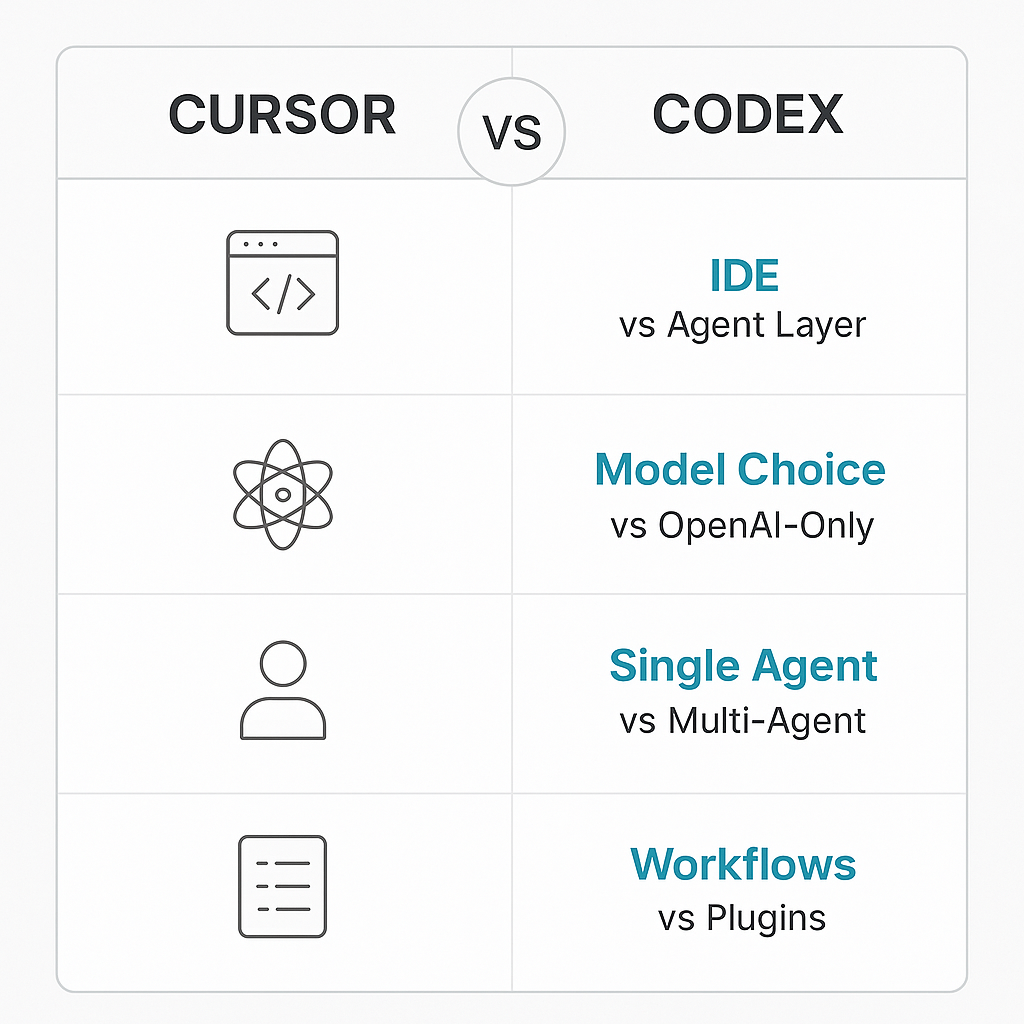
| Dimension | Cursor | Codex |
|---|---|---|
| What it is | Full IDE (VS Code fork) | Agent orchestration layer (app, CLI, IDE extension) |
| Primary use | Write and edit code in-context | Run and supervise multiple agents |
| Model choice | GPT, Claude, Gemini, Cursor models | GPT-5.3-Codex (OpenAI stack) |
| Multi-agent | Composer can do multi-file edits | Native parallel agents, separate threads |
| Codebase context | @Codebase indexing, full repo awareness | Via IDE extension when used in Cursor/VS Code |
| Beyond code | Limited | Skills: images, Figma, deploy, docs, Linear |
| Automations | No | Yes — scheduled background tasks |
| Standalone app | Yes (desktop IDE) | Yes (macOS command center) |
| Pricing | Free Hobby; Pro $20+; Teams $40/user | Included with ChatGPT (Plus ~$20/mo+) |
| Platform | Mac, Windows, Linux | macOS (Windows planned) |
Who Should Use What?
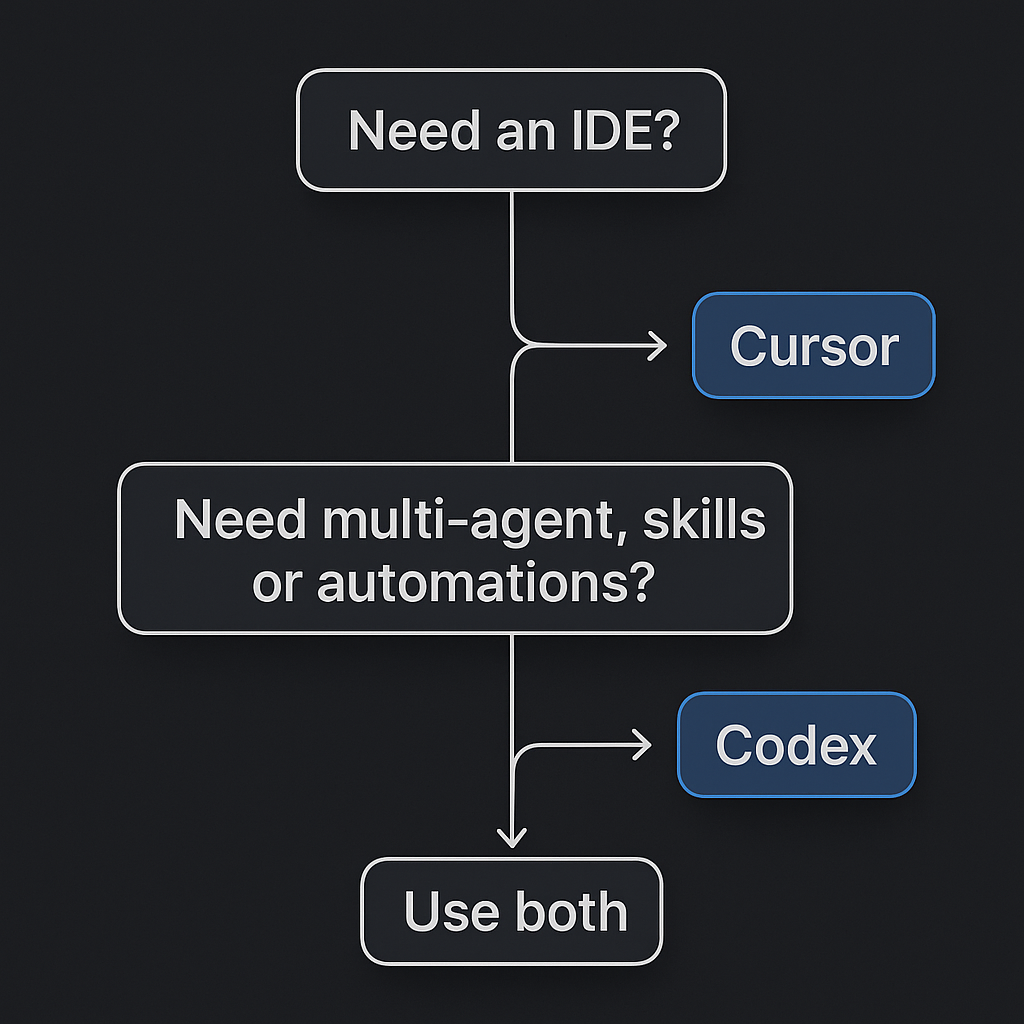
Use Cursor (with or without Codex) if you:
- Want a single IDE where you live all day.
- Care about model choice (Claude vs GPT vs Gemini).
- Need strong codebase indexing and in-editor context.
- Prefer Cursor Tab and Shadow Workspace for fast, low-friction edits.
- Are on Windows or Linux (Codex app is macOS-only for now).
Use Codex (app or extension) if you:
- Run multiple agents across different projects.
- Want skills for images, Figma, deploy, docs, or project management.
- Need scheduled automations (triage, CI summaries, release briefs).
- Already pay for ChatGPT Plus/Pro and want coding leverage.
- Like the idea of a command center separate from your editor.
Use both if you:
- Want Cursor's editor + Codex's multi-agent and skills inside it.
- Orchestrate agents in the Codex app and hand off to Cursor for deep edits.
- Need model flexibility (Cursor) plus OpenAI's agent stack (Codex).
The Bottom Line
Cursor wins on: IDE experience, codebase context, model choice, and cross-platform support.
Codex wins on: Multi-agent orchestration, skills, automations, and integration with the ChatGPT ecosystem.
They're complementary. Cursor is where you code. Codex is how you scale who codes — by running and supervising agents. If you're already in Cursor and have ChatGPT, adding the Codex extension is a no-brainer. If you're on macOS and managing multiple agents, the Codex app is worth a close look.
The question isn't whether one "beats" the other. It's whether you need an IDE, an agent layer, or both.

Written by
Ben Laube
AI Implementation Strategist & Real Estate Tech Expert
Ben Laube helps real estate professionals and businesses harness the power of AI to scale operations, increase productivity, and build intelligent systems. With deep expertise in AI implementation, automation, and real estate technology, Ben delivers practical strategies that drive measurable results.
View full profile