Build a CRM Rollback Table Before AI Changes Records
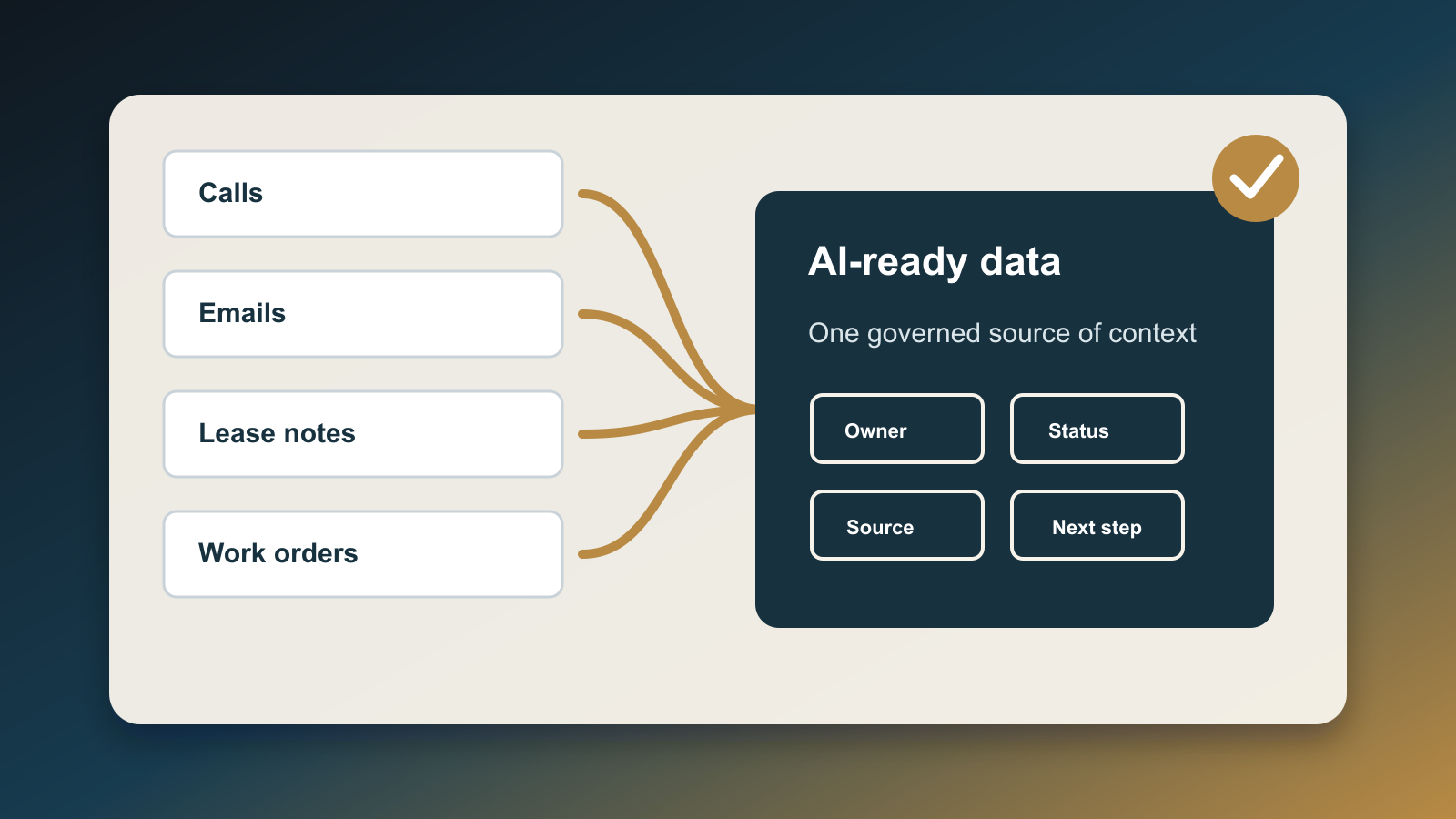
AI can update a CRM faster than a team can audit the damage. That is useful when the change is right: stale leads move out of active nurture, duplicate tasks collapse, and deal stages stop lying to the pipeline report. It is expensive when the change is wrong.
A CRM rollback table is the operating control that sits between AI suggestions and permanent business records. It does not replace native audit logs, recycle bins, workflow revision history, or backups. It gives the team a small, plain-language table that says what changed, why it changed, who approved it, which records were touched, and exactly how the team can reverse the batch.
The need is not theoretical. NAR's 2025 Technology Survey found that 46% of REALTORS reported using AI-generated content, and many agents already use CRM, social, eSignature, and other digital tools daily. As AI moves from drafting copy into changing lead stages, owner assignments, task outcomes, nurture segments, and deal properties, the risk shifts from bad words to bad records.
NIST's AI Risk Management Framework is useful here because it treats AI as an operational risk system, not a novelty. The framework emphasizes governance, mapping, measurement, and management of AI risks. For a small real estate or service business, that can sound abstract until an automation updates 800 contacts with the wrong lifecycle stage. The rollback table turns that governance idea into a business object.
What belongs in the rollback table
Start with the record identity. Store the CRM object, record ID, record URL, owner, and current lifecycle context. If a contact, deal, showing task, listing prospect, or vendor record is important enough for AI to change, it is important enough to identify precisely.
Add the trigger. Was the update caused by a scheduled workflow, a browser agent, an API sync, a prompt-approved bulk action, or a human clicking accept on an AI suggestion? That trigger matters because the first rollback step is often not the record restore. It is turning off the thing that will repeat the mistake.
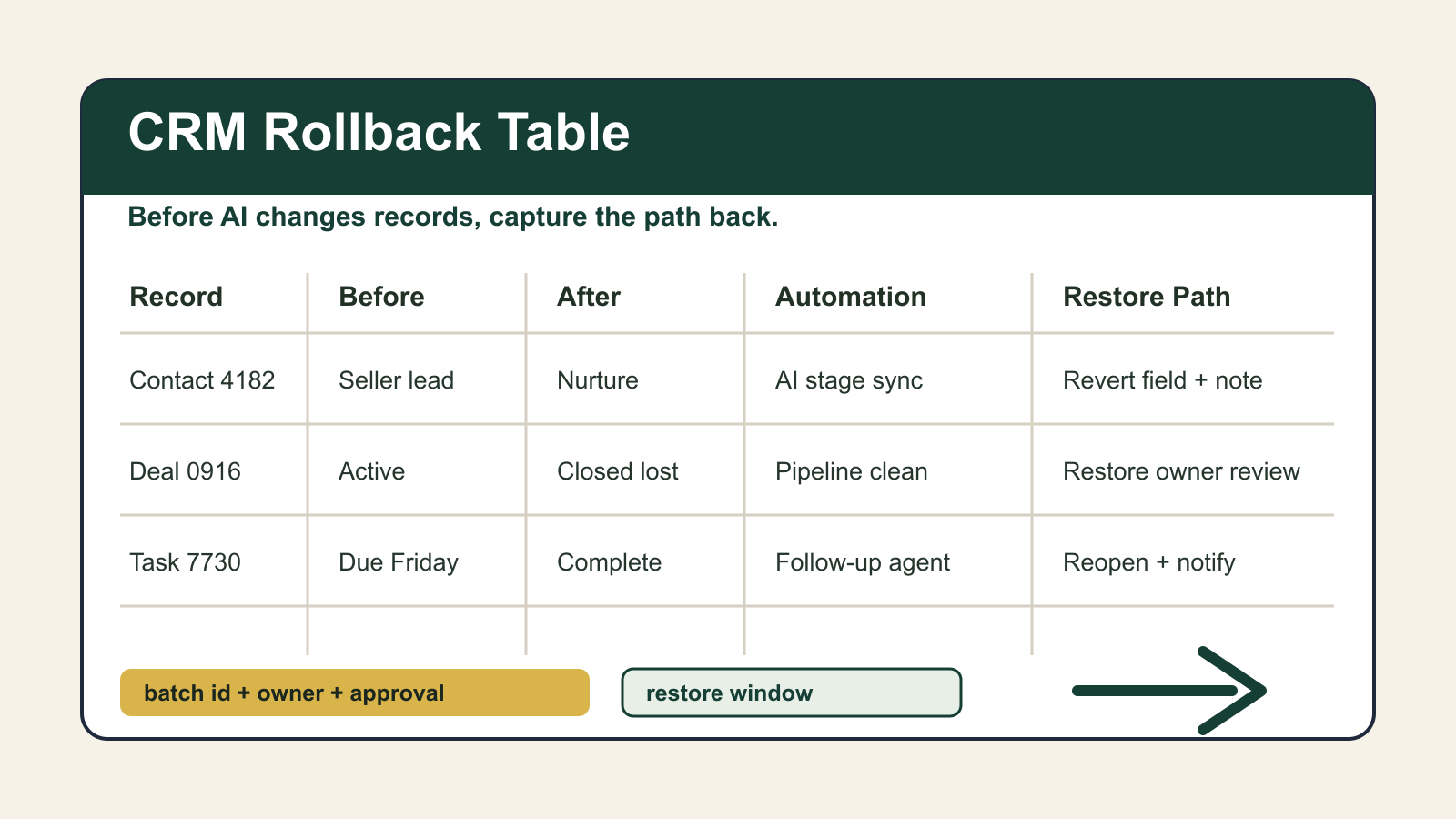
Capture before and after values for every field the automation may write. Do not rely only on the CRM's native history view. Native history is helpful, but it may be plan-limited, field-limited, time-limited, or spread across separate object screens. The rollback table should contain the operational values the team needs during a same-day recovery: prior owner, prior stage, prior source, prior subscription status, prior task status, prior next-step date, and prior notes eligibility.
Add a batch ID. Every AI-assisted change should have one. If an automation touches one record, the batch ID can be the approval ticket. If it touches 5,000 records, the batch ID is the handle that lets the team find the whole event, pause follow-up, notify owners, and reconcile reporting.
Finally, write the restore path in advance. The worst time to discover platform limits is after production data moved. The table should say whether rollback means reverting individual properties, restoring deleted records, reverting a workflow revision, re-importing a clean CSV, replaying a backup, opening a vendor support case, or manually rebuilding related tasks.
Why native rollback is not enough
CRM platforms do provide useful recovery features. HubSpot documents workflow revision history and says teams can review changes, view specific revisions, and revert supported workflow versions. But HubSpot also notes important boundaries: workflow reverts do not support every action type, including webhook and custom code actions. That means an AI workflow that calls external systems may not be fully reversible by clicking a revision.
HubSpot's deleted-record restore tool is also useful, but it is not a universal undo button. The documentation says HubSpot-defined object records can be restored up to 90 days after deletion, and the deleted-record view can be filtered by date, user, or workflow. The same page warns that permanent or GDPR-related deletes are not held in the recycle bin, and it flags that some associated data can still be lost.
Salesforce has a Recycle Bin for deleted records, and admins can manage org-level deleted data. Salesforce also documents Field History Tracking and Field Audit Trail behavior for retaining field-change history, with practical limits and retention rules. Those controls are valuable evidence, but they are not a business-specific rollback plan. They do not automatically tell a broker, marketing lead, or transaction coordinator which client communication must be paused while the data is repaired.
That is the gap the rollback table fills. It connects platform recovery mechanics to business consequence.
The approval gate should be boring
Before AI writes to CRM records, require five checks.
First, define the exact write scope. Name the objects, fields, filters, record count, and exclusion rules. A request that says "clean old leads" is not ready. A request that says "move contacts with no activity after 18 months from active nurture to archive, excluding active deals and anyone with an open task" is closer.
Second, sample the before state. Export a small review set and have a human confirm that the automation is interpreting records correctly. The sample should include edge cases: duplicate contacts, married household records, past clients, active sellers, stale buyer leads, vendor contacts, and contacts with communication restrictions.
Third, prepare the reversal. If the change cannot be reversed with a known method, shrink the batch or keep it in suggestion mode. AI should not get bulk write access to fields that cannot be reconstructed.
Fourth, set the monitoring window. Decide who watches reports, owner queues, workflow enrollment, unsubscribe changes, task creation, and client replies for the first hour and first day after the change.
Fifth, write the client-impact rule. If a bad CRM update could trigger outreach, pricing advice, showing instructions, financing follow-up, or seller guidance, the rollback plan must include pausing those downstream actions before repair starts.
A practical table schema
Use one table, not a complex governance platform. Columns should include batch_id, requested_by, approved_by, run_time, automation_name, source_prompt_or_ticket, crm_object, record_id, field_name, before_value, after_value, confidence_reason, downstream_workflows, restore_method, restore_deadline, rollback_owner, verification_query, and client_notification_needed.
For high-risk writes, add evidence links: export file, workflow revision, API job ID, prompt transcript, approval note, and screenshot of the record count before execution. Keep the evidence close enough that a manager can find it without searching chat history.
The table can live in Airtable, Notion, a Postgres table, or the CRM itself. The important point is that it is controlled outside the automation that made the change. If the same AI agent can alter both the CRM records and the rollback evidence without review, the control is weak.
What to automate later
Once the manual table works, automate the boring parts. Generate batch IDs automatically. Require every AI write job to attach the before snapshot. Block production writes when the rollback_owner field is empty. Alert the owner if verification queries do not match expected counts. Keep a dashboard of open rollback windows so the team knows which batches are still under observation.
Do not start with autonomous repair. Start with autonomous evidence capture. The team will trust CRM-changing AI faster when it can see the path back.
The operating rule
AI can help maintain a cleaner CRM, but it should never be allowed to make record changes that the business cannot explain, bound, and reverse. The rollback table is the proof that the team knows what happened and can recover before a wrong field becomes a wrong conversation.

Written by
Ben Laube
AI Implementation Strategist & Real Estate Tech Expert
Ben Laube helps real estate professionals and businesses harness the power of AI to scale operations, increase productivity, and build intelligent systems. With deep expertise in AI implementation, automation, and real estate technology, Ben delivers practical strategies that drive measurable results.
View full profile