Build a Browser-Agent Permission Log Before AI Uses Your CRM
Browser agents are crossing from research novelty into ordinary business software. ChatGPT agent can work through a virtual browser, pause when a login is required, and let the user take over for sensitive steps. OpenAI's Operator release described the same basic operating model: the agent can browse and act, but it should request takeover for credentials and ask for approval before consequential actions. Anthropic's computer-use documentation frames the pattern as an agent loop: the model requests actions, the application executes them in a controlled computing environment, and the results are sent back to the model.
That is useful for real estate operations because so much work still lives in web apps: CRMs, transaction platforms, e-signature rooms, lead-routing tools, marketing dashboards, MLS-adjacent systems, vendor portals, and inboxes. It is also exactly why teams need a permission log before letting an AI agent operate those systems. The platform may have safety gates. Your business still needs its own record of who allowed the agent to do what, inside which account, against which client record, and with what result.
The mistake is treating browser-agent access like another chat prompt. A prompt is advice. A browser action is work. If the agent changes a CRM stage, exports a contact list, sends a follow-up, edits a property note, or books a meeting, the operational question is no longer "was the answer good?" The question becomes "was this action authorized, scoped, observable, reversible, and tied to a human owner?"
Why the log matters now
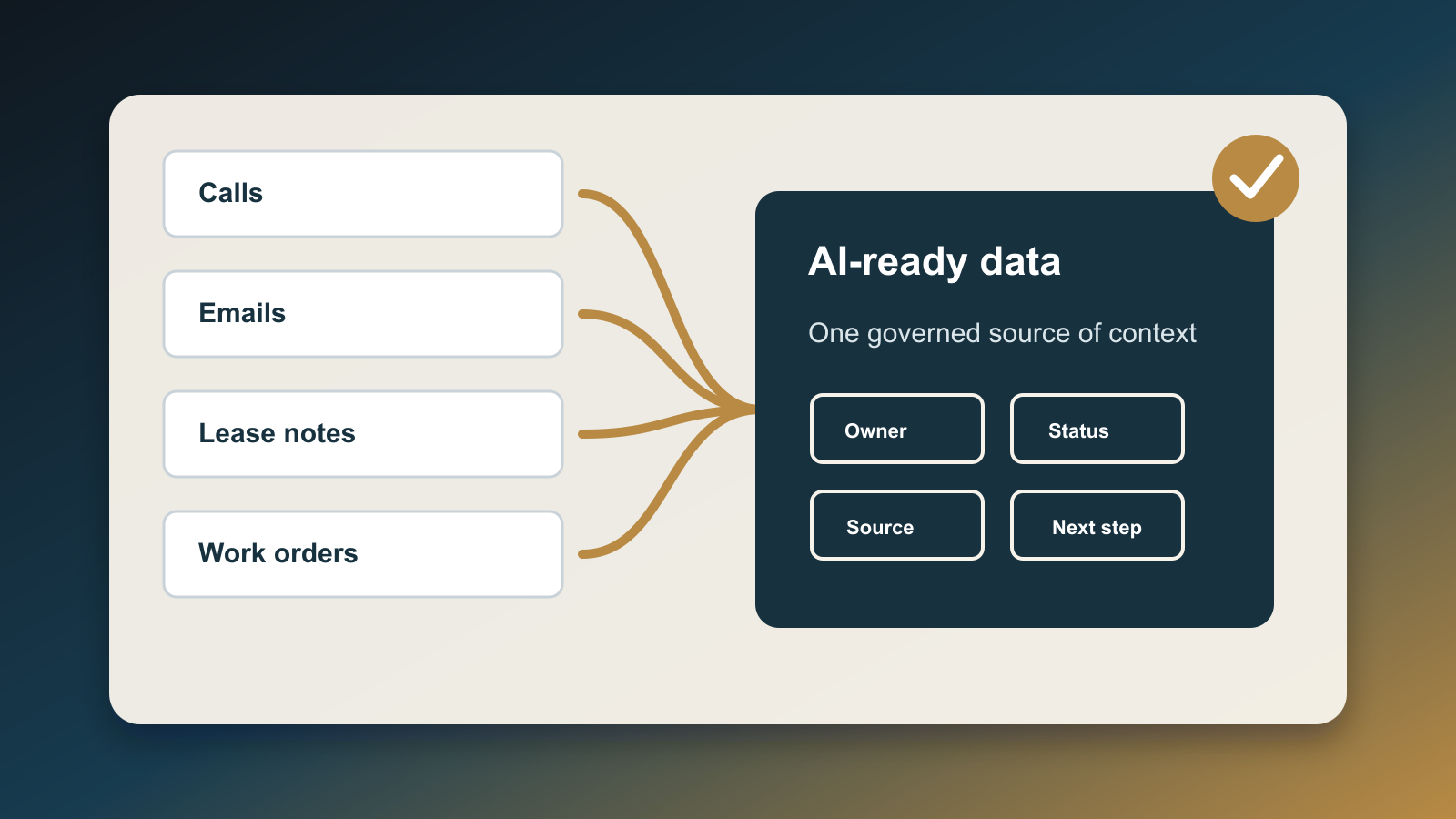
The current safety documentation already points to the gap. OpenAI's ChatGPT agent help page says enterprise workspaces can control agent mode availability, app access, website blocking, and retention settings. It also says conversations involving agent tasks can appear in Compliance API logs, but individual agent actions such as virtual computer usage and app requests are not listed there as individual actions. That is not a criticism of the platform. It is a boundary. The platform can record the conversation context, but the business still needs local evidence at the workflow level.
Anthropic's computer-use guidance is even more explicit about operational risk. It warns that prompt injection can persist, that models can take unexpected actions, and that teams should limit computer use to trusted environments, avoid sensitive accounts without strict oversight, and obtain end-user consent before enabling the feature. OWASP's agentic security guidance pushes the same direction from a governance angle: review permissions, isolate runtime environments, maintain an inventory of deployed agent skills, and enable comprehensive audit logging for agent actions.
A recent AI Agent Index from MIT researchers also highlights why this is not just a theoretical concern. The index documented known incidents or reported concerns across several deployed agent systems and noted prompt-injection vulnerabilities in browser agents. The practical lesson is simple: if a model can read untrusted webpages and then use a browser to act inside trusted business systems, the permission layer has to live outside the model's memory.
What belongs in a browser-agent permission log
Keep the first version boring. A permission log should not be a giant governance program. It should be a small table that every browser-agent workflow must write to before, during, and after execution.
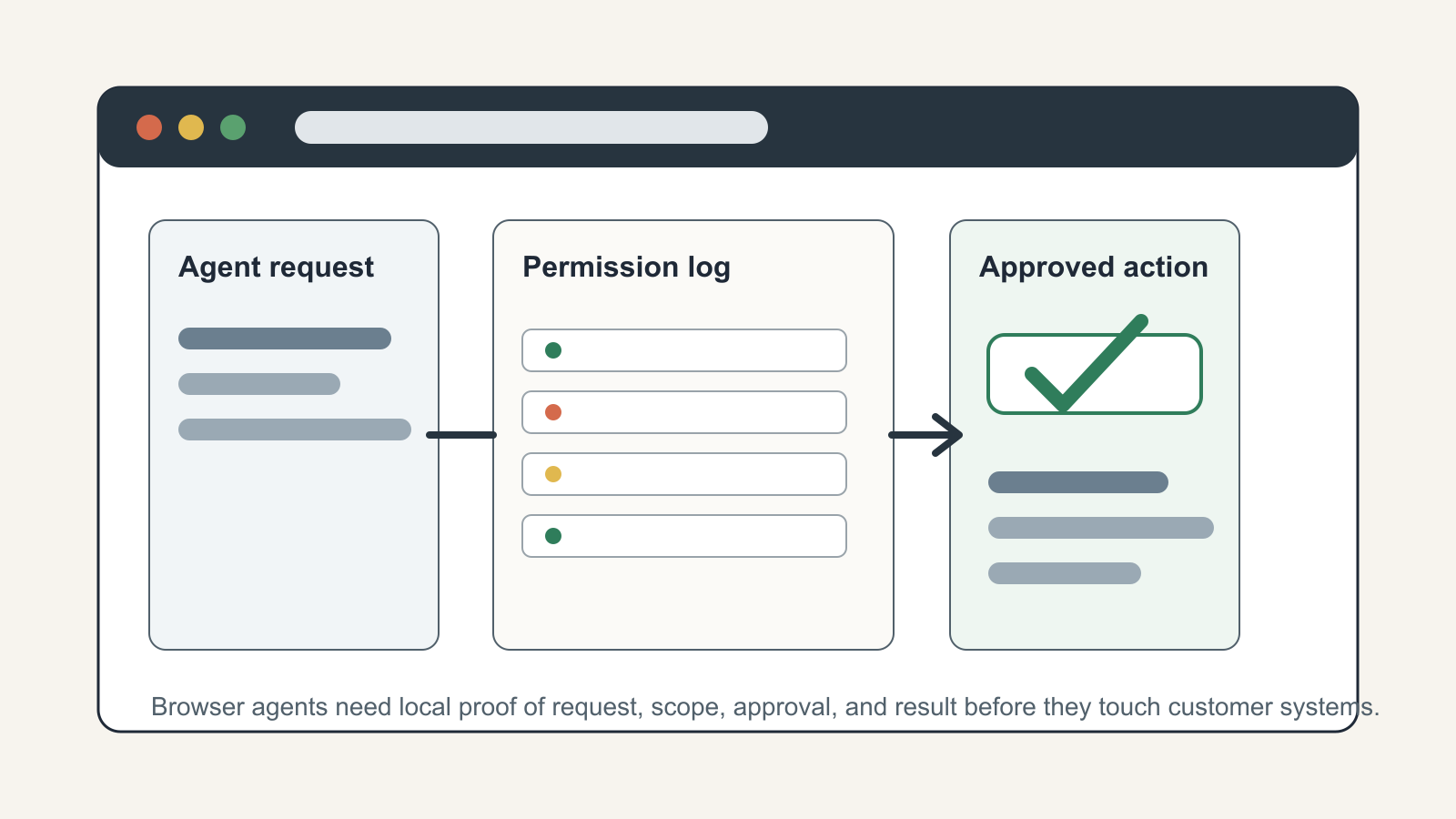
Start with the request. Capture the human requester, the business reason, the client or property record involved, the target system, and the proposed action. A vague entry like "update CRM" is not enough. A useful entry says "change lead 18422 from new to appointment requested after verifying signed consultation form" or "draft but do not send follow-up email for seller lead 9187 using approved template."
Then record the scope. The log should say which account the agent may use, which URLs or app modules it may visit, which records it may touch, and which actions are forbidden. For a real estate CRM, this usually means separating read-only research from write actions. Reading a lead timeline, checking a previous note, and summarizing a call are one risk tier. Editing contact data, exporting records, sending messages, deleting notes, or triggering campaigns are a higher tier.
Next, capture approval. The approval should be attached to a person, timestamp, scope, and expiration. "Ben approved CRM write access for this lead until 3:30 PM" is usable. "Approved" is not. If the agent needs to expand scope mid-task, the log gets a new approval entry. This keeps the human takeover model from becoming a one-time blanket pass.
Finally, record the result. Store what the agent actually did, what changed, what it failed to do, links to affected records, screenshots or system event IDs when available, and the rollback path. If the agent sends a message, save the message ID and the exact template version. If it updates a CRM stage, save the prior value and the new value. If it stops because of a login, CAPTCHA, ambiguous record, or policy conflict, record that as a useful outcome rather than a failure to hide.
The minimum fields
For most small teams, the log can start with these fields:
request_id: a unique ID for the agent run.human_owner: the person accountable for the request.target_system: CRM, email, transaction platform, marketing app, or portal.record_scope: the exact client, lead, listing, deal, campaign, or task IDs.allowed_actions: read, draft, update field, send, export, upload, book, or delete.blocked_actions: anything the agent must not do, even if technically possible.credential_mode: no login, user takeover, delegated account, or service account.approval_status: requested, approved, denied, expired, or revoked.approval_evidence: approver, timestamp, and policy or ticket link.run_result: completed, partial, blocked, escalated, rolled back, or failed.change_evidence: changed fields, message IDs, screenshots, audit IDs, or exported file hashes.rollback_owner: the person responsible for undoing or correcting the action.
This is enough to answer the real operating questions after a messy run. Who asked for the work? What was the agent allowed to touch? Did it exceed scope? What changed in the CRM? Can we prove the client-facing action was approved? Who owns cleanup?
Where to place the gate in real workflows
Put the permission log in front of the browser session, not after it. The agent should not receive CRM credentials, a live browser, or a broad instruction until the request row exists and has an approval state. That row becomes the input contract for the run.
For low-risk tasks, the log can approve automatically. A nightly agent that opens a marketing dashboard and summarizes campaign spend might only need a read-only account and a recurring scope. For medium-risk tasks, require human approval before write access. For high-risk tasks, require human takeover for the sensitive step and keep the agent in watch mode around it.
In a real estate CRM, the clean split is usually:
- Read-only: summarize lead history, find missing fields, compare task status, prepare a draft.
- Draft-only: create an email, text, task, or note that remains unsent until reviewed.
- Controlled write: update a specific field on a specific record after approval.
- Consequential action: send a client message, export data, trigger a campaign, book a showing, cancel an appointment, or change a transaction status.
Only the first two should be routine early automation. Controlled writes need tight scopes. Consequential actions need explicit approval and a rollback owner.
What this changes for AI strategy
A browser-agent permission log changes the conversation from "Can AI use our tools?" to "Which work is mature enough for delegated action?" That is the right question. The answer will expose messy CRM permissions, shared logins, unclear ownership, missing templates, weak rollback paths, and business processes that only work because one person remembers the rule.
That exposure is valuable. It tells you where automation should wait. It also tells you where a browser agent can help immediately. If a workflow has clean records, stable templates, narrow permissions, and clear approval rules, the agent can safely remove busywork. If the workflow depends on judgment, private context, or undocumented exceptions, the agent should prepare evidence and stop for a human.
The permission log is not bureaucracy. It is the operating surface for AI that can click, type, submit, and change business data. Without it, every agent run becomes a private memory in a chat thread. With it, browser-based automation becomes inspectable work: requested by a person, scoped to a system, approved for a purpose, and verified by evidence.

Written by
Ben Laube
AI Implementation Strategist & Real Estate Tech Expert
Ben Laube helps real estate professionals and businesses harness the power of AI to scale operations, increase productivity, and build intelligent systems. With deep expertise in AI implementation, automation, and real estate technology, Ben delivers practical strategies that drive measurable results.
View full profile